Sider Deep Research logo

Sider Deep Research

Sider Deep Research tackles the gap between quick AI answers and proper citations

41 views
Visit sider.ai
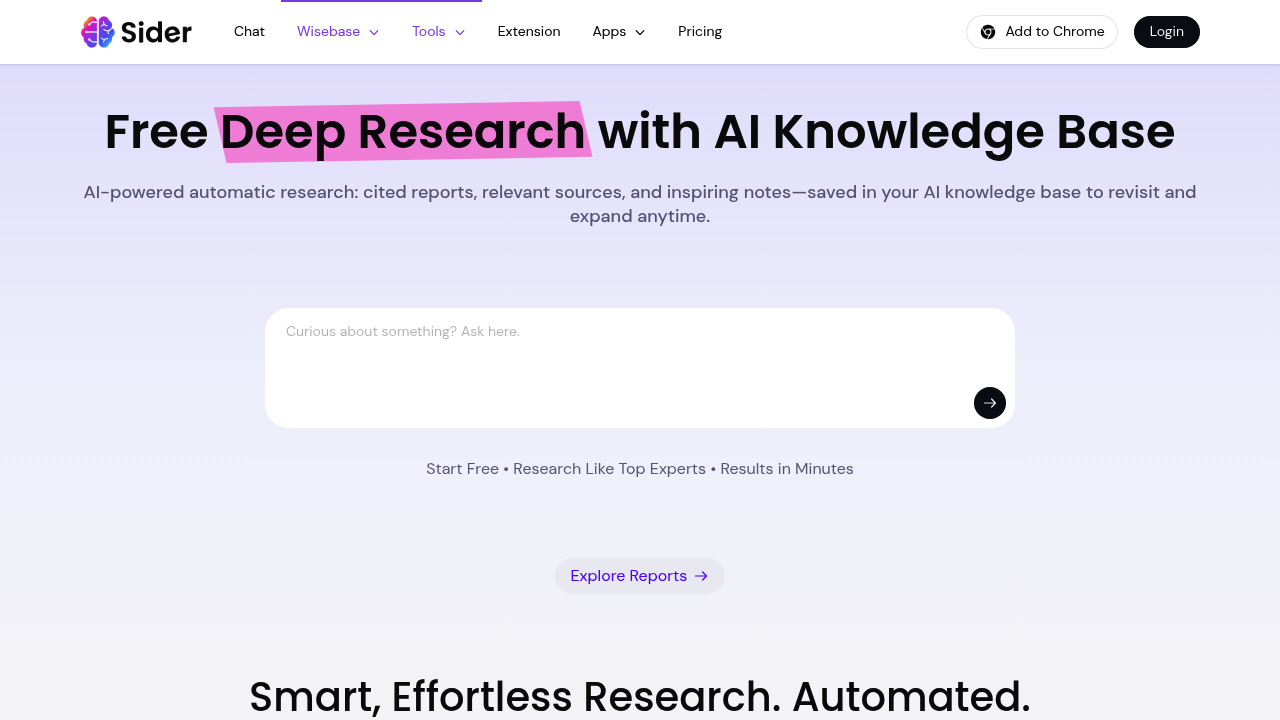
Sider Deep Research screenshot

Sider Deep Research tackles the gap between quick AI answers and proper citations. It scans 100+ websites automatically, pulls relevant information, highlights key points, and spits out structured reports with actual source links. Everything lands in Wisebase, their knowledge base system, where you can chat with saved sources later or build on previous research.

This platform runs on advanced AI models for deep analysis. Type a query in any language and it'll spend several minutes combing through sources, generating notes, and assembling a report. The side-by-side verification view lets you check claims against original sources without jumping between tabs. When you need more depth, you can refine reports on the spot.

Scholar Deep Research variant taps into 350M+ academic papers. That's solid for literature reviews or checking what's been published on narrow topics. The auto-generated notes try to broaden your thinking beyond the obvious angles, though whether they actually inspire depends on your research question.

What works: The automatic saving to Wisebase means you're building a searchable archive without extra effort. Chat functionality with saved sources beats re-reading entire PDFs when you need specific details months later. The citation structure is clean enough for actual academic work, not just vague references to "sources say." Multilingual support handles queries in languages most tools fumble.

What doesn't: Several minutes per query adds up fast when you're exploring multiple angles. One free usage isn't enough to evaluate whether it fits your workflow. You're locked into their scanning choices for those 100+ websites—no custom source lists. This system decides what's "inspiring" in its auto-notes, which might miss what you actually find interesting. Reports come back structured, but that structure might not match how you organize information.

The free trial gives you exactly one shot. That's testing, not using. You'll know if the report format works for you, but not whether it handles different research depths consistently. Pricing information isn't publicly available beyond that single free usage, so you can't plan research budgets around it.

Best fit for people who need cited reports more than quick answers. Scholars writing literature reviews. Researchers building knowledge bases over time. Anyone tired of juggling browser tabs and losing sources. It won't replace manual research for specialized topics, but it'll handle the scanning grunt work. Just don't expect instant results or unlimited free exploration.

Frequently asked

6 questions
How long does Sider Deep Research take to generate a report?
Each query takes several minutes to complete, not seconds. The tool scans 100+ websites, analyzes content with DeepSeek-R1 and GPT-4.1 models, generates notes, and assembles cited reports. That depth requires processing time. If you're exploring multiple research angles in one session, those minutes stack up fast. Quick AI chatbots give instant answers, but this tool prioritizes thorough scanning over speed.
Can I try Sider Deep Research for free?
You get exactly 1 free usage to test the platform. That's enough to see one complete research report and check if the format works for you. After that single trial, you'll need a paid plan to continue. The company doesn't publish pricing beyond the free trial, so you can't compare costs upfront. One usage isn't enough to test different research depths or evaluate consistency across topics.
What's the difference between Sider Deep Research and Scholar Deep Research?
Scholar Deep Research connects to a database of 350M+ academic papers for literature reviews and scholarly work. The standard version scans 100+ general websites for broader research topics. Scholar mode targets published research, citations, and peer-reviewed sources. Both generate structured reports with citations, but Scholar focuses specifically on academic databases. Pick Scholar for formal research, standard for general investigation across varied sources.
Does Sider Deep Research save my sources automatically?
Everything lands in Wisebase, their AI knowledge base, without manual saving. All scanned websites, generated reports, highlights, and notes get stored automatically. You can chat with those saved sources later to pull specific details without re-reading full documents. The system builds a searchable archive as you research, so past queries become reference material. This beats juggling bookmarks or losing track of where you found information months ago.
Can Sider Deep Research handle queries in languages other than English?
The platform supports multilingual queries, so you can type questions in various languages. Most AI research tools stumble with non-English inputs, but this one processes them. The scanning still pulls from its 100+ website pool regardless of query language. You won't find pricing details on whether certain languages cost extra or work better than others. Test your specific language during that single free usage to confirm it meets your needs.
What happens if Sider Deep Research finds conflicting information across sources?
The side-by-side verification view shows you original sources next to report claims, so you spot conflicts yourself. The tool doesn't resolve contradictions or tell you which source to trust. It highlights topic-related information and generates notes, but judgment calls stay with you. This setup works better than tools that hide sources behind vague citations. You're checking facts against originals without tab-switching, but the critical thinking part doesn't get automated.

Traffic

Estimated monthly website visits · last 3 months

3.7M visits/mo
Monthly visits
3.7M
↓ 3.5% MoM
Global rank
#16,547
IN #8,140
Category rank
#12
Research & Analytics
4.1M 4M 3.9M 3.8M 3.7M Dec 2025: 4.1M visits Dec 2025 Jan 2026: 3.8M visits Jan 2026 Feb 2026: 3.7M visits Feb 2026

Data from SimilarWeb · Updated monthly.

Reviews (0)

Write review

No reviews yet. Be the first to share your experience.

Similar tools

See all →