
Scanned.to logo

Scanned.to

Scanned

32 views
Visit scanned.to
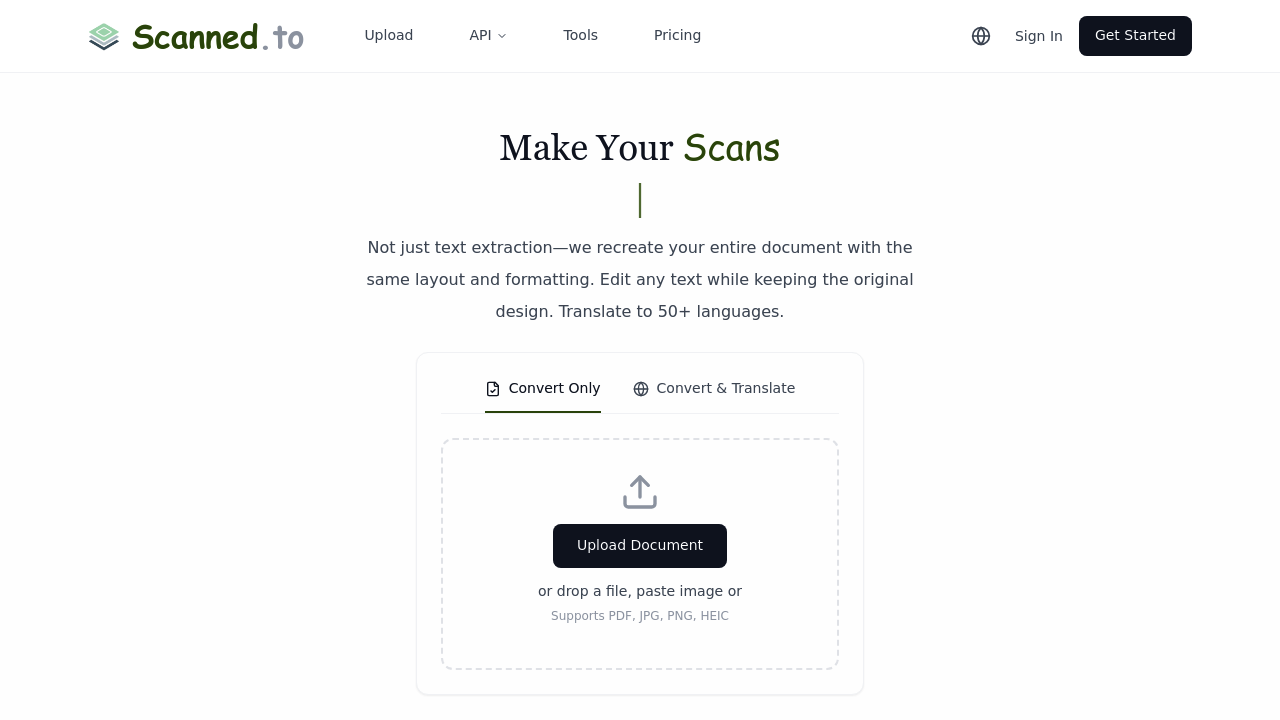
Scanned.to screenshot

Scanned.to reconstructs documents from images and PDFs using specialized neural networks trained on specific document categories. Rather than just pulling text out, the system analyzes layout structures including tables, multi-column formats, headers, and design elements. It then rebuilds these documents as fully editable files where you can modify text while keeping the original formatting intact.

The OCR pipeline handles both printed and handwritten text through neural networks optimized for different document types. Legal documents get processed differently than medical records or technical manuals. This specialization improves accuracy for domain-specific terminology and formatting conventions. The system accepts PDF, JPG, PNG, and HEIC files as input.

Documents flow through the recognition layer, then into a layout reconstruction engine. This second stage maps spatial relationships between text blocks, images, and structural elements. The output comes in three formats: editable Word documents, searchable PDFs, or shareable web pages. Each format maintains the original layout structure.

Translation works across 50+ languages while preserving formatting. The system does not just translate text strings. It maintains table structures, column alignments, and header hierarchies in the target language. This matters for contracts, invoices, and research papers where layout conveys meaning.

All files get encrypted during transmission and storage. The service explicitly doesn't use uploaded documents for training AI models. For developers, there's API access to integrate the OCR and translation capabilities into custom workflows. You can build document processing pipelines or automated translation systems.

The free tier works for basic use. Free uploads get automatically deleted after 24 hours, which limits it for archival purposes. You can't keep documents long-term without paying. No information about paid plan pricing or features is publicly detailed.

Reading analytics track how people interact with shared documents. You'll see who opened what and when. The sharing system generates secure links for distribution.

The main technical limitation is the 24-hour retention window for free users. This makes it impractical for building a document library or maintaining historical records. You'd need to re-upload files each time. The service doesn't offer mobile apps or browser extensions, so access happens through the web interface or API only.

The document-type-specific neural networks set this apart from generic OCR tools that treat every document the same way. A medical report gets processed with different recognition patterns than a legal brief. This specialization improves accuracy but means the system needs to correctly identify document types first.

Frequently asked

7 questions
Does Scanned.to preserve formatting when converting scanned documents?
The system rebuilds documents with complete layout preservation rather than just extracting text. Neural networks analyze spatial relationships between text blocks, tables, columns, and headers, then reconstruct these elements in the output file. You can edit text in the resulting Word document or PDF while maintaining the original design structure. This differs from basic OCR that strips formatting and outputs plain text.
How long does Scanned.to keep my uploaded documents?
Free tier uploads get automatically deleted after 24 hours. This makes the service impractical for building a document archive or maintaining historical records. There's no public information about retention policies for paid plans. You'd need to re-upload files each time if staying on the free tier.
Can Scanned.to translate documents while keeping the layout?
Translation works across 50+ languages while maintaining table structures, column alignments, and header hierarchies. The system doesn't just convert text strings. It preserves spatial formatting so contracts, invoices, and research papers retain their visual structure in the target language. This matters when layout conveys meaning alongside content.
Is Scanned.to free to use?
There's a free tier that handles basic OCR and translation tasks. The limitation is automatic deletion of uploads after 24 hours, so you can't maintain long-term document storage. No pricing details for paid plans are publicly available. Free users get access to the same OCR capabilities and 50+ language translation features.
What makes Scanned.to different from regular OCR software?
The system uses document-type-specific neural networks trained separately for legal, medical, and technical documents rather than a single generic model. Legal briefs get processed with different recognition patterns than medical reports. This specialization improves accuracy for domain-specific terminology and formatting conventions. Regular OCR tools treat every document identically and typically just extract text without reconstructing layout.
Can I integrate Scanned.to into my own application?
API access lets developers build custom document processing pipelines or automated translation workflows. You can integrate the OCR and translation capabilities into existing systems. The service handles PDF, JPG, PNG, and HEIC formats through the API. This works for building invoice processing systems, automated contract translation, or document digitization workflows.
Does Scanned.to use my documents to train AI models?
The service explicitly doesn't use uploaded documents for AI model training. Files get encrypted during transmission and storage. Free tier uploads are automatically deleted after 24 hours, which provides another layer of data protection. This matters for sensitive business documents, medical records, or legal contracts where privacy is critical.

Reviews (0)

No reviews yet. Be the first to share your experience.

Similar tools

See all →