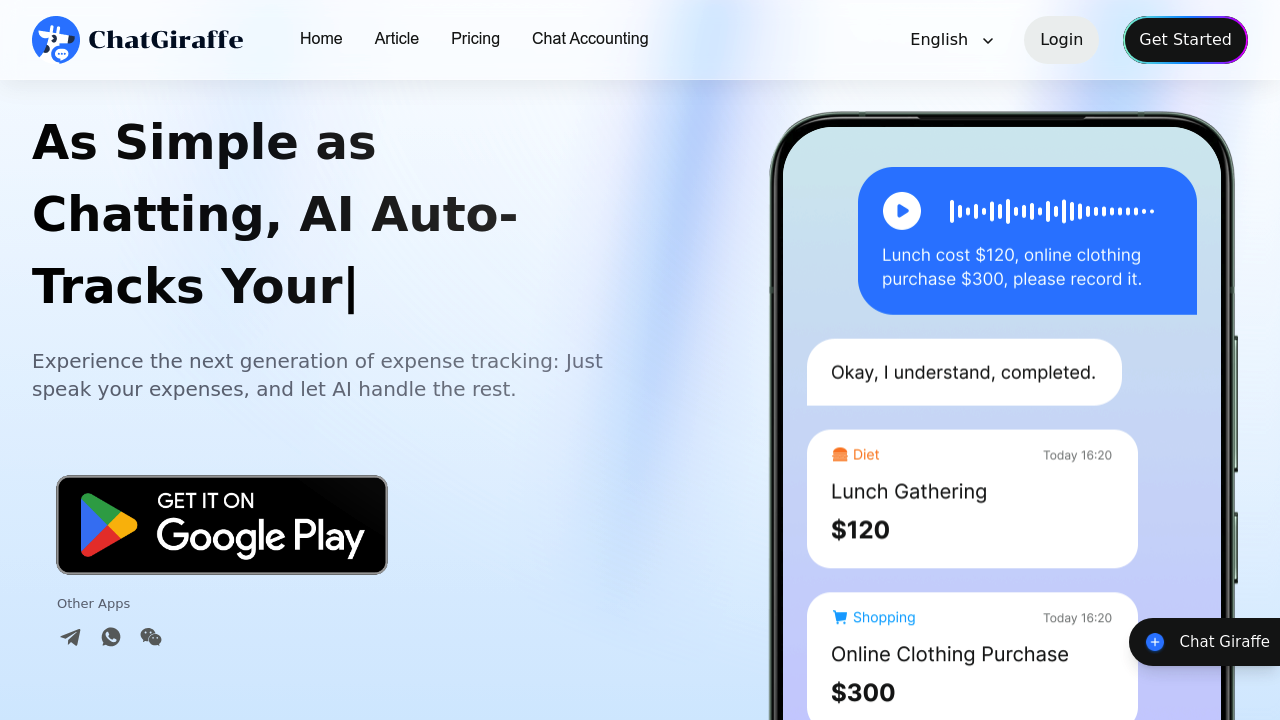
ChatGiraffe turns expense tracking into a conversation with an AI assistant shaped as a chatty giraffe character. You can log expenses through voice messages, typed text, or by snapping photos of receipts. The system processes these inputs and automatically sorts transactions into categories without manual data entry.
The receipt recognition works through image analysis. Take a photo of a restaurant bill or store receipt, and the AI extracts the amount, merchant, date, and assigns it to a spending category. For bank statements, you can upload screenshots and the system parses line items to build your transaction history. This bypasses manual CSV imports or typing numbers into spreadsheets.
The categorization engine uses pattern recognition to tag expenses. Business meals get flagged differently than personal groceries. The auto-tagging feature identifies tax-deductible purchases for freelancers who need to separate business spending from personal costs. Categories adapt based on your transaction patterns over time.
Analysis happens across multiple dimensions. The system tracks spending trends by category, time period, and merchant. Cash flow reports show income versus outgoing money. Budget optimization suggestions come from the AI analyzing where you overspend relative to typical patterns in your income bracket. The money-saving recommendations point to specific categories where you exceed averages.
The chat interface runs on both a dedicated app and through messaging platforms, though the specific messaging integrations aren't detailed. This means you can log a coffee purchase through a quick message rather than opening a separate financial app. The conversational approach reduces friction compared to traditional expense trackers that require form filling.
Data processing happens server-side after you submit information. The AI assistant stores transaction data with what's described as secure storage and information confidentiality, though technical encryption details aren't specified. All categorization and analysis runs on their backend systems rather than locally on your device.
The free plan provides basic AI support and basic data analysis. What constitutes "basic" isn't quantified, but it means reduced capabilities compared to paid features. The Pro plan costs $9.99 monthly and caps AI conversations at 500 per month. This conversation limit matters if you log multiple expenses daily through chat, since each interaction counts toward the quota. Pro provides advanced categories and deeper analysis features not available in the free tier, plus priority support.
The system reached over 1 million users within six months of launch. That adoption rate suggests the chat-based approach appeals to people who find traditional finance apps too rigid.
Technical limitations center on the free tier restrictions. Basic AI support means fewer sophisticated insights or less detailed categorization logic. Basic data analysis likely excludes the multi-dimensional trend views and budget optimization tools. Even the Pro plan's 500 monthly conversation cap could constrain heavy users who track numerous small transactions daily.
The messaging platform integration remains vague. Without knowing which platforms connect, you can't determine if it'll work with your preferred chat app. The receipt scanning accuracy depends on photo quality and receipt formatting, which varies by merchant. Handwritten receipts or faded thermal paper might not parse correctly.
Bank statement analysis requires manual uploads rather than direct bank connections. There's no mention of automatic syncing with financial institutions, meaning you're feeding data rather than having it pulled automatically. This adds a manual step that traditional finance apps with bank APIs avoid.