Vocal Remover logo

Vocal Remover

Quick vocal extraction

58 views
Vocal Remover screenshot

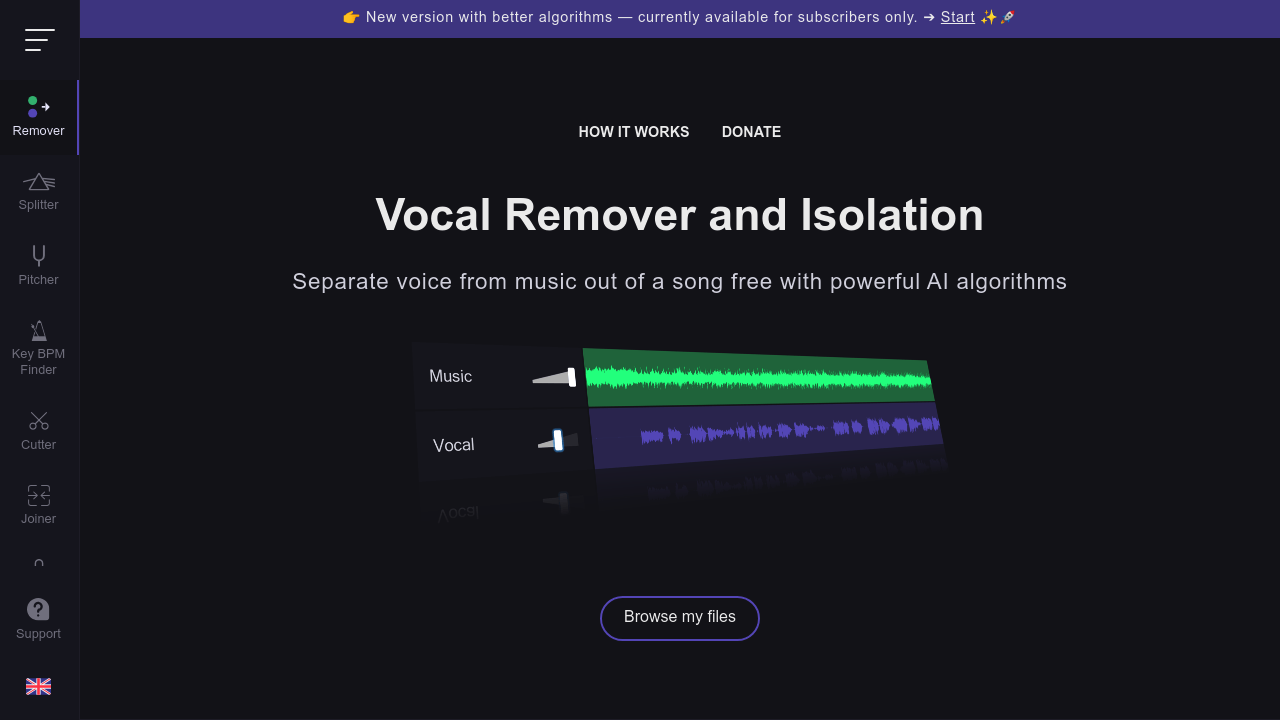
You're stuck in a car with friends who want karaoke. You only have the original song on your phone. Vocal Remover splits any track into two versions — one with vocals stripped out for karaoke and another with just the isolated vocals for acapella practice.

Processing takes about 10 seconds once you upload your file. Fast AI algorithms do the heavy lifting. You get both versions immediately without downloading software or creating accounts.

A wedding DJ preparing last-minute karaoke requests would find this useful when clients want obscure songs that don't exist in karaoke format. Upload the track. Get the instrumental version. You're set for the reception.

The free version handles one file up to 10 minutes total duration. That's enough for most songs but won't work if you need multiple tracks. Paid plans cost $12.95 monthly or $99 yearly for unlimited files and 500 minutes of processing time. You also get faster queue priority.

Unlike ChatGPT, which can't process audio files at all, Vocal Remover actually separates audio frequencies to isolate different elements of a song. The results aren't perfect. Complex mixes with overlapping frequencies don't separate cleanly. But for straightforward pop songs with distinct vocal lines, it works well enough for casual karaoke use.

The 500-minute limit on paid plans feels restrictive for professional users who might process dozens of tracks regularly.


Frequently asked

7 questions
How accurate is Vocal Remover at separating vocals from instruments?
It's pretty solid with straightforward pop songs -- you know, tracks where the vocals sit clearly above the instruments. But here's the thing: complex mixes are a different story. When vocals and instruments overlap at similar frequencies, the separation gets messy. You'll get decent results for most mainstream stuff, just don't expect studio-quality isolation every time.
What file formats can I upload to Vocal Remover?
MP3, WAV, and other common audio formats work fine. Your file can't be longer than 10 minutes on the free version though. They don't list specific format restrictions, so most standard audio files should upload without issues.
Can I process multiple songs at once with Vocal Remover?
Free users are stuck with one file at a time. Paid subscribers can upload unlimited files and queue them up. But here's the catch -- even paid users hit a wall at 500 minutes of processing per month.
How long does it take for Vocal Remover to process my song?
About 10 seconds once your file's done uploading. Paid users get priority in the queue, so they'll skip ahead when things get busy. The AI separation itself is quick regardless of your plan.
Does the $99 yearly plan give me more processing time than monthly?
Nope. Both plans ($12.95 monthly and $99 yearly) give you the same 500 minutes and unlimited uploads. The yearly option just saves you around $56 compared to paying month-to-month for a full year.
What's the difference between the karaoke and acapella versions Vocal Remover creates?
Karaoke strips out vocals -- leaves you with just the backing track for singing along. Acapella does the opposite, isolating the vocal parts while ditching most instruments. You get both files automatically with each job.
Why is there a 500-minute monthly limit on paid Vocal Remover plans?
The AI processing eats up serious computational resources. That 500 minutes works out to roughly 100-125 average songs per month though. It's plenty for casual use, but can feel tight if you're regularly processing entire music libraries.

Traffic

Estimated monthly website visits · last 4 months

8.7M visits/mo
Monthly visits
8.7M
↓ 8.7% MoM
Global rank
#6,858
US #10,609
Category rank
#5
Audio & Music
9.5M 9.3M 9.1M 8.9M 8.7M Nov 2025: 8.7M visits Nov 2025 Dec 2025: 9.5M visits Dec 2025 Jan 2026: 9.5M visits Jan 2026 Feb 2026: 8.7M visits Feb 2026

Data from SimilarWeb · Updated monthly.

Reviews (0)

Write review

No reviews yet. Be the first to share your experience.

Similar tools

See all →