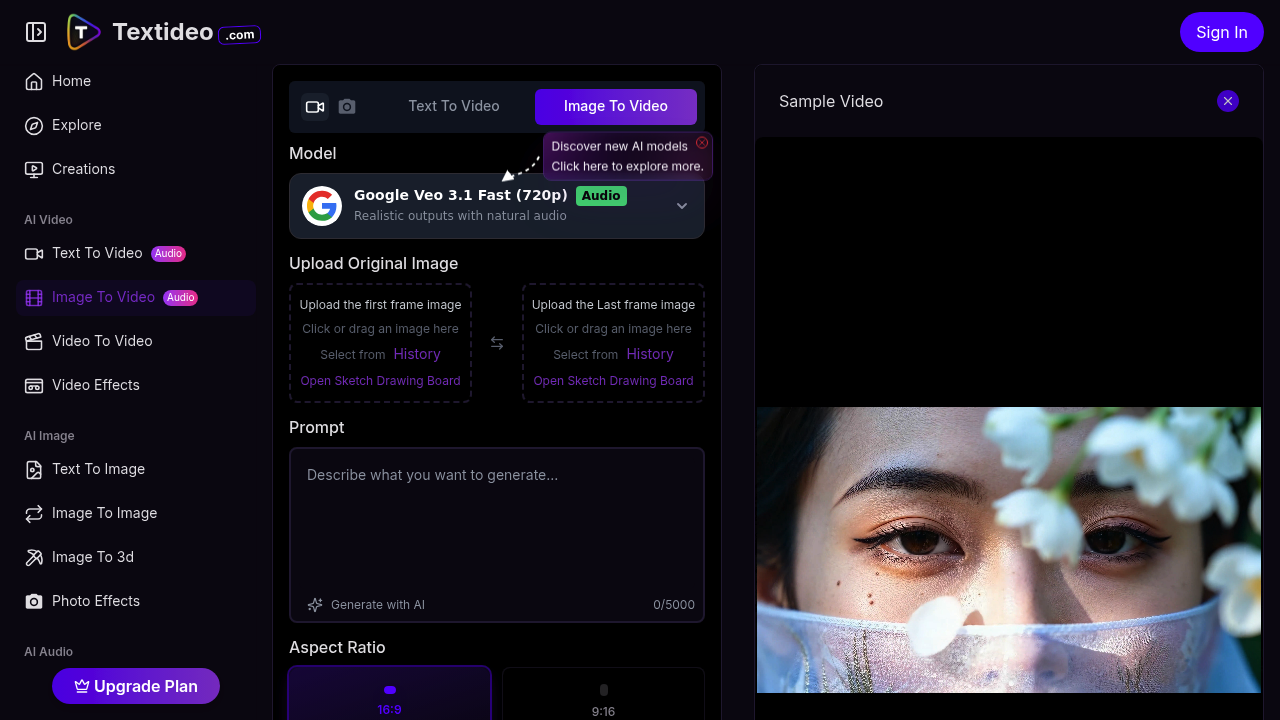
Textideo turns static images into animated videos through AI processing. The core pitch — upload a first frame and last frame, watch AI fill the gap — gives creators more control than standard text-to-video generators. You're guiding the transformation between two specific states rather than hoping a prompt nails your vision.
This service runs on Google Veo 3.1 Fast, outputting 720p resolution. Each generation costs 160 tokens, with an annual VIP option at 120 tokens. You can pick aspect ratios — 16:9 or 9:16 —, toggle public visibility, and enable copy protection to block others from viewing your source files or stealing prompts. Prompts max out at 5,000 characters.
Beyond image-to-video, this toolset sprawls wide. Text-to-video, audio-to-video, video-to-video transformations. A sketch drawing board for creating source images. AI prompt generation if you're stuck. Pre-built video effects like Couple Shot, AI Running Video, Rotate Video, Into The Eye. Text-to-image, image-to-3D, photo effects, music generation, text-to-speech, lip sync, avatars, movie generation, script writing. It's a kitchen-sink approach to AI content creation.
The automatic features — pacing, zoom effects, scene transitions — aim to polish raw generations without manual editing. Multiple export formats target social platforms directly. You get a history of uploaded images for reference.
Reality check: generation takes time. Textideo explicitly warns users to be patient. If you're not happy with standard results, you'll need the premium version for better quality. That's vague guidance. No clarity on what "better" means or how often standard outputs fall short.
The dual-frame approach differentiates it. Most tools either animate from a single image or generate from scratch via text. Defining start and end states bridges that gap. Useful for product demos, before-after sequences, or any transformation narrative.
But the feature bloat raises questions. Does one platform really handle image-to-3D, lip sync, and music generation well? Or are these bolt-ons that underdeliver? The absence of integration details suggests Textideo operates in isolation. No API access, no team features, no mobile app, no browser extension.
Content creators chasing social media velocity might find value here. Marketers testing visual concepts quickly. Educators building simple animated explainers. But anyone needing production-grade video should temper expectations. The 720p ceiling and patient-generation warnings suggest this isn't replacing professional tools. It's for volume and speed over polish. Test with throwaway content first. See if results match your quality bar before committing to a workflow.