EvoLink logo

EvoLink

Developers wanting to build AI-powered apps usually face a messy reality

31 views
Visit evolink.ai
EvoLink screenshot

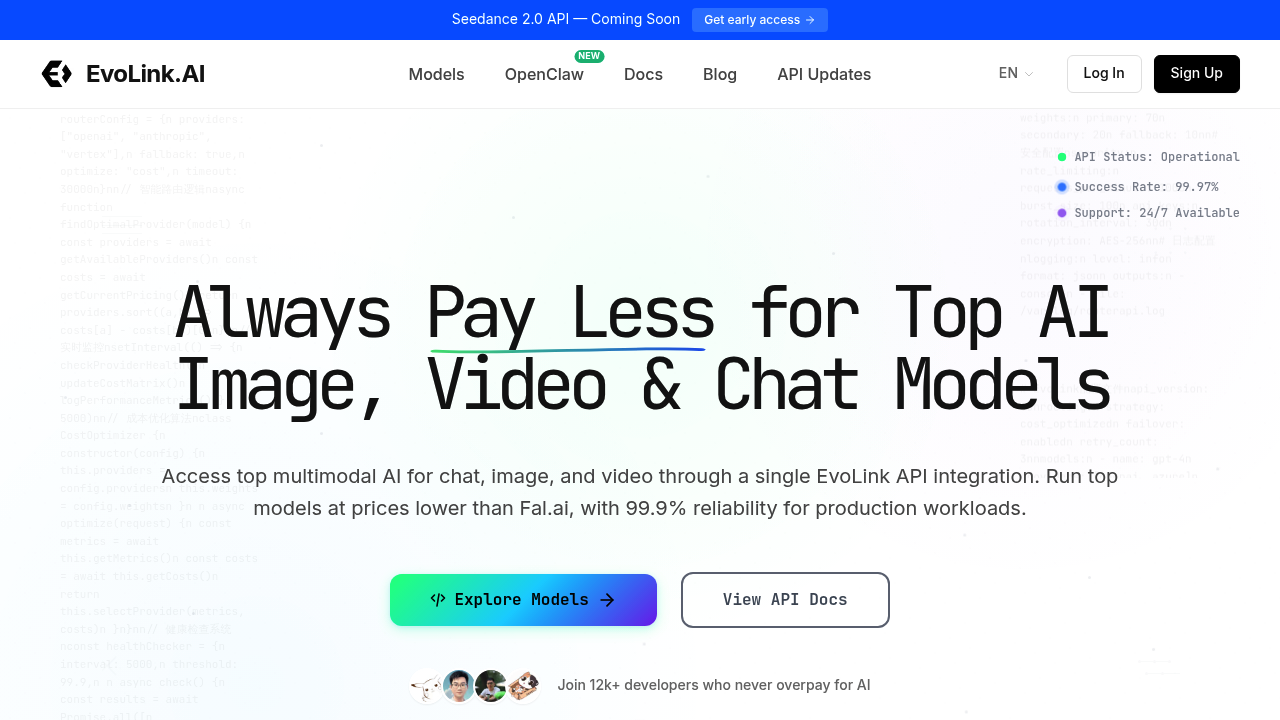
Developers wanting to build AI-powered apps usually face a messy reality. You need video generation from one provider, image tools from another, chat models from a third. Each comes with its own API docs, authentication flow, and billing dashboard. EvoLink consolidates all of it into one API gateway, giving you access to multiple top AI models through a single integration point.

You sign up and get one API key. That key provides access to chat models, image generators, video creation tools, music generation, and coding assistants. Instead of learning five different API structures, you write to one. The system handles routing requests to the right model automatically.

The video generation lineup includes Veo 3.1, Seedance, Wan 2.5 Video, and Sora 2. You can generate 1080p video with native audio, program camera movements, and create 10-15 second clips. Some models support text-to-video while others handle image-to-video conversion. Character locking keeps visual consistency across frames. Style blending lets you merge different aesthetic approaches. It's built for production work, not just experimentation.

Image tools cover editing and generation. Qwen Image Edit works with instruction-based editing and mask support, so you can describe changes rather than manually manipulating pixels. Multi-image fusion combines multiple sources into one output. The Nano Banana Pro model runs on Google's architecture, though you don't get much visibility into what's happening under the hood when things slow down.

Music generation runs through Suno V3.5-V5 integration. Speech, music, and sound effects sync together, which matters when you're building anything beyond basic background tracks.

The service advertises 99.9% uptime with automatic failover. Over 12,000 developers are using it, and the success rate sits at 99.97%. When a model fails, the system reroutes to an alternative. That works well until you need a specific model's output style, then failover becomes a problem rather than a solution.

Support runs around the clock. Questions about rate limits, model parameters, or unexpected behavior get answered through their support channel.

The comparison point is Fal.ai, with EvoLink claiming lower prices across models. Seedance runs 3x faster than standard Pro models, generating 15-frame sequences. A Seedance 2.0 API is coming, with early access already available for developers who want to test before the official launch. Speed matters. So does cost. But you can't evaluate either without actual numbers in front of you.

Frequently asked

6 questions
Does EvoLink have a free tier or trial?
EvoLink doesn't offer a free tier or trial period. You'll need to sign up for a paid plan to access the API gateway and start using any of the AI models. The service mentions prices lower than Fal.ai, but specific pricing tiers aren't publicly listed on their site. You'll need to contact them directly or check their dashboard after signing up to see what you'll actually pay per request or per month.
Can I use EvoLink to generate AI videos with sound?
EvoLink provides access to several video generation models including Veo 3.1, Seedance, Wan 2.5 Video, and Sora 2 through one API. These models generate 720p to 1080p video with native audio, handling speech, music, and sound effects synchronization. You can create 10-15 second clips, program camera movements, and lock character consistency across frames. The text-to-video and image-to-video capabilities work for production apps, though you're limited to those short durations regardless of which model you route to.
How do I integrate multiple AI models without managing separate APIs?
You sign up for EvoLink and receive one API key that connects to chat models, image generators, video tools, music creation, and coding assistants. Instead of managing authentication and billing across Google, OpenAI, Anthropic, BytePlus, and others separately, you write requests to EvoLink's unified API structure. The system automatically routes your request to the right model whether that's Claude for chat, Seedream for images, or Sora for video. When a model fails, automatic failover reroutes to an alternative, though that means you might lose specific output characteristics you were counting on.
What happens when an AI model goes down on EvoLink?
EvoLink advertises 99.9% uptime with automatic failover across models. When your requested model fails or hits capacity, the system reroutes to an alternative that handles similar tasks. That keeps your application running with a 99.97% success rate across 12,000+ developers using the platform. The problem shows up when you need a specific model's output style or capabilities and failover gives you something functionally similar but visually or tonally different than what your users expect.
Can EvoLink edit existing images or only generate new ones?
EvoLink provides access to image editing through Qwen Image Edit, which handles instruction-based editing with mask support. You describe the changes you want rather than manually editing pixels, and the model applies them to your source image. Multi-image fusion combines multiple images into one output. The service also includes pure generation models like Nano Banana Pro, Seedream 4.0, and Flux Kontext API for creating images from scratch.
How fast is video generation compared to other platforms?
Seedance through EvoLink runs 3x faster than standard Pro models, generating 15-frame sequences at that accelerated pace. The service handles 10-15 second video clips in 1080p quality across its various models including Veo 3.1 Fast, which is specifically optimized for speed. Actual generation time depends on which model you route to and current server load, but the platform maintains 99.9% reliability for production workloads. A Seedance 2.0 API is coming soon with early access already available if you want to test the next version before official launch.

Reviews (0)

No reviews yet. Be the first to share your experience.

Similar tools

See all →