Photo Anonymizer logo

Photo Anonymizer

Most AI tools grab your uploaded images for training data

35 views
Photo Anonymizer screenshot

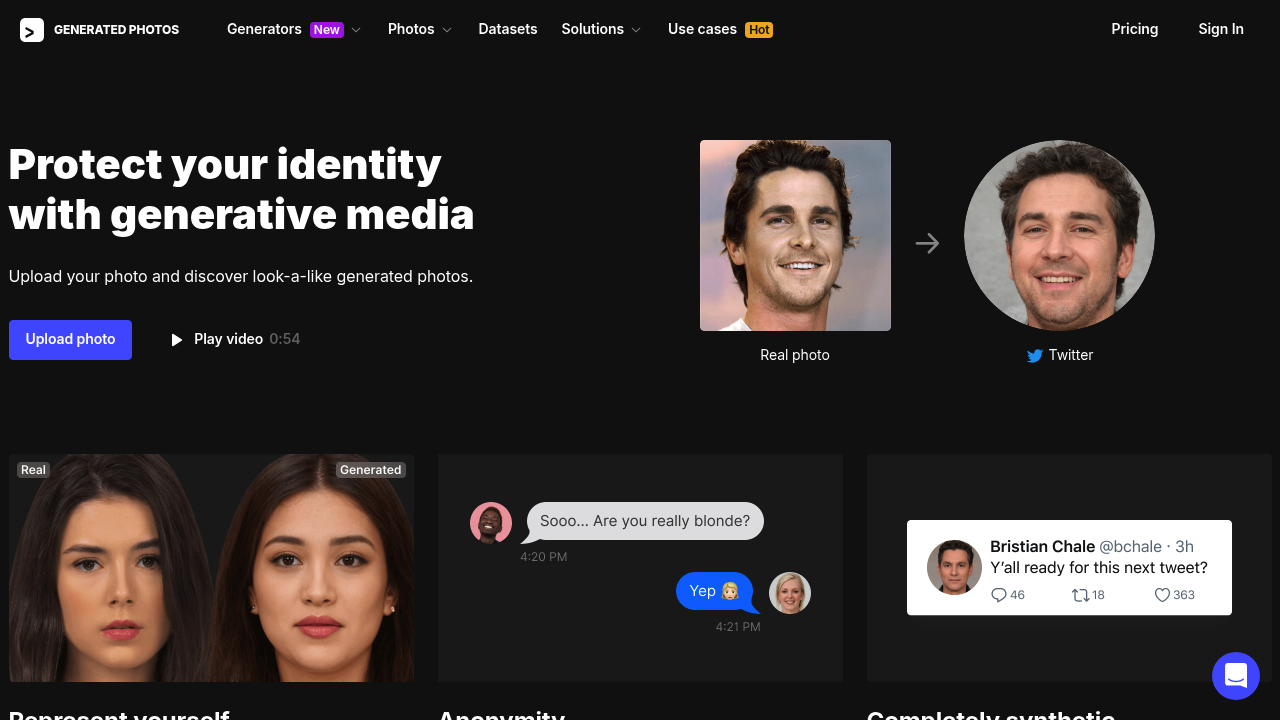
Most AI tools grab your uploaded images for training data. Photo Anonymizer works differently—it processes everything in RAM. Your original photo never gets stored. Results live only on your computer. That's the deal for anyone wanting online representation without surrendering biometric data to another tech company.

Upload a clear frontal face shot. Photo Anonymizer generates synthetic look-alikes matching your skin tone, approximate age, gender, and hair length. These faces aren't you—they're AI-generated from scratch with no likeness rights attached. A freelancer building a professional profile might use this for privacy while still showing something human on LinkedIn or portfolio sites.

The learning curve? Basically nonexistent. Upload JPG, PNG, or WEBP. Wait. Download your synthetic face. You won't fiddle with sliders or parameters. It just does the one thing it's built for.

Free for personal use means generating look-alikes without paying anything. You can't stockpile images though. Can't use them commercially either. Those restrictions keep the free tier from becoming a synthetic stock photo farm.

Best results need clean lighting and a face pointing at the camera. Multiple faces in frame confuse it. Blurry selfies won't work. These limitations feel more like basic requirements than dealbreakers (straightforward enough). Just don't try impersonating someone—you'll run into their terms of service the hard way.

Frequently asked

7 questions
Is Photo Anonymizer really free?
Yes, it's free for personal use. You can generate AI look-alike photos without paying anything, but you can't stockpile images or use them for commercial purposes. If you need photos for business projects, the free plan won't work for you.
Does Photo Anonymizer store my photos?
Nope, it processes everything in RAM and doesn't store your uploaded photos anywhere. Your original image gets deleted right after processing, and the results only save to your computer. It's one of the few AI tools that doesn't keep your data for training.
What kind of photos work best with Photo Anonymizer?
You'll want a clear frontal face photo with good lighting—think passport photo style. Blurry selfies or images with multiple faces won't give you good results. The tool needs to clearly see your features to generate an accurate synthetic match.
Can I use Photo Anonymizer photos on LinkedIn or my portfolio?
For personal profiles, yes. The synthetic faces work well for representing yourself online while protecting your real identity. Just remember the free plan doesn't allow commercial use, so if you're selling services or products directly, you'd need to check the terms more carefully.
How accurate are the generated look-alike photos?
They'll match your skin tone, approximate age, gender, and hair length pretty well. The faces are completely synthetic though, so they won't look exactly like you—that's the whole point. Think of it as a digital stand-in that captures your general vibe without being actually you.
What file formats does Photo Anonymizer accept?
It accepts JPG, PNG, and WEBP files. Pretty standard stuff—basically whatever your phone camera or screenshot tool produces. No need to convert anything unless you're working with some unusual format.
Can I generate multiple different faces from one photo?
The tool generates synthetic look-alikes based on your uploaded photo, but the free plan restricts you from creating stockpiles of images. You can generate faces for personal use, just not in bulk or for building up a library of options.

Reviews (0)

No reviews yet. Be the first to share your experience.

Similar tools

See all →